Mixing workflow
Harmonic mixing for DJs: use the key, then trust the transition
A practical way to shortlist compatible records without letting notation write the set.
The practical answer
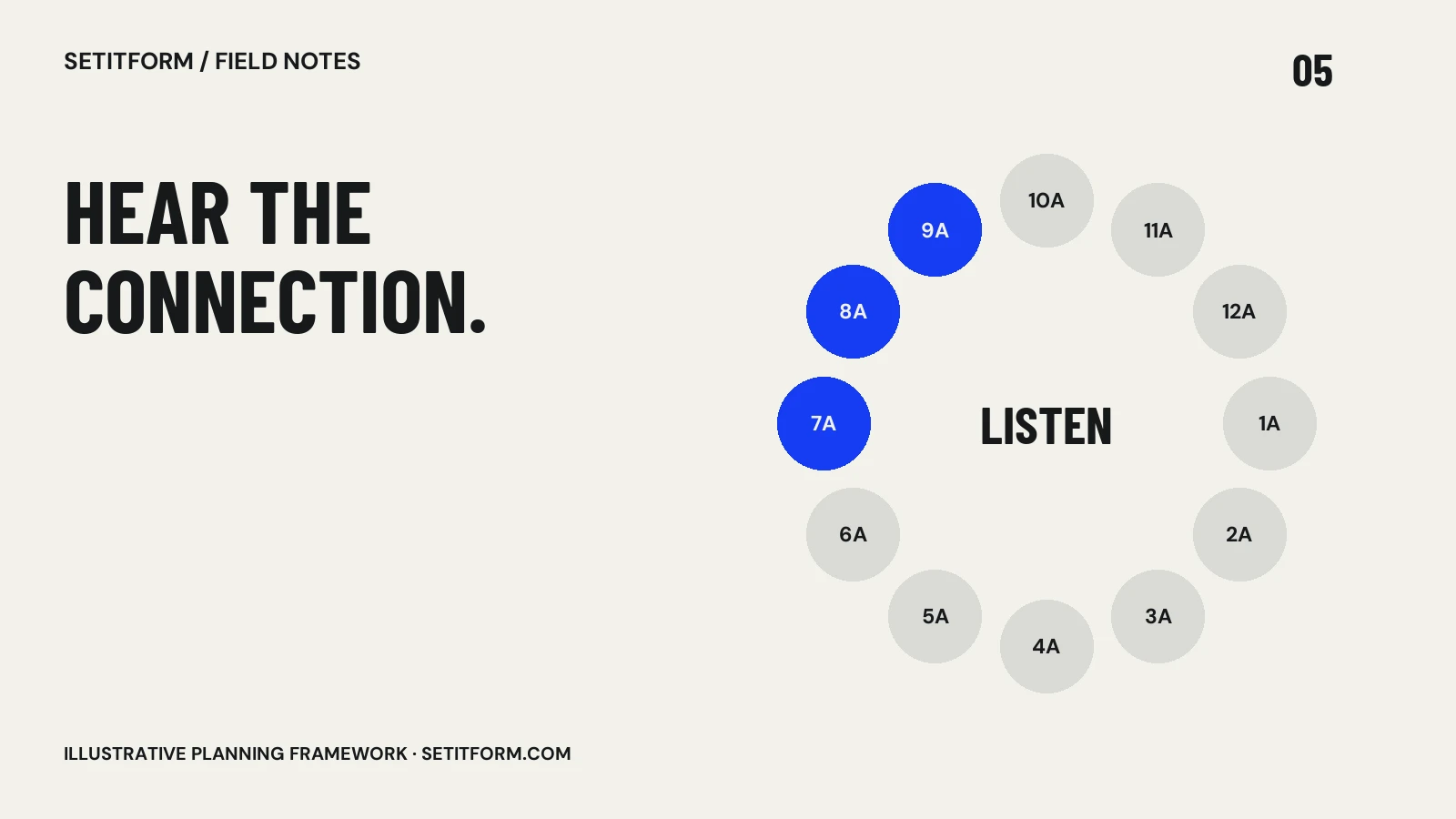
Harmonic mixing uses musical key to shortlist tracks whose pitched elements may work together. In Camelot notation, common starting options include the same code, a neighboring number with the same letter, or the same number with the other letter. Always audition the actual overlap.
Understand what the label describes
A key tag is a compact description of a musical relationship, not a complete review of a recording. The analysis may be imperfect, the track may shift tonality, and the section you mix may be mostly percussion. Treat the tag as a useful filter. Mixed In Key’s introductory guide explains Camelot notation, with A representing minor and B major. From 8A, its common neighboring options include 7A, 9A and 8B, as well as staying in 8A. These are starting points, not guarantees against audible clashes.
Listen to the sections that share time
The relevant question is what happens while both tracks are audible. A pair with compatible tags can still sound crowded if both sections contain strong vocals or competing lead melodies. A pair with distant tags may work in a percussion-only transition or a clean cut. Set your intended in and out points, then listen through the complete handover. Do not audition only the first few seconds and assume the next phrase is safe. Write down the part that worked so you can reproduce the choice without reconstructing it under pressure.
Keep musical fit separate from event fit
Harmonic compatibility does not decide whether the next record belongs in this part of the night. Consider intensity, familiarity, arrangement and the role you need the track to play. A beautifully blended vocal peak can still be too much for an opening slot. A restrained connector can be exactly right even if it is less impressive in isolation. Create your shortlist from the event brief first, then use key as one way to compare options. This keeps the process focused on the musical experience rather than a technically elegant chain of labels.
Test key lock and tempo changes on your setup
Tempo adjustments and any pitch-preservation setting are part of the sound you need to audition. Different material can react differently, so listen to vocals, sustained tones and transients at the settings you intend to use. Check the relevant software or player manual for what its controls do. Avoid universal claims about a safe percentage shift: source material, processing and the listening context vary. Keep an alternate transition ready if the intended pitch treatment sounds unnatural. The final judgment belongs to your ears on the actual setup.
Use a small rehearsal exercise
Choose one track and three candidates: one with the same key tag, one neighbor and one chosen solely for musical character. Build a short transition into each. Record notes on bass overlap, vocal interaction, phrase alignment and the resulting mood. Compare them without looking at the tags for a second listen. The point is not to defeat music theory; it is to learn when the notation helps your decisions. Retain a concise note such as “melodies overlap only after outgoing vocal ends” instead of treating the key match as the explanation for everything.
Common questions
Does matching key guarantee a good mix?
No. Rhythm, arrangement, phrasing, vocals and event context still matter, and detected key can be wrong.
Can I mix tracks outside adjacent Camelot keys?
Yes. Listen to the actual overlap and choose an appropriate technique rather than assuming every transition needs a long harmonic blend.
Sources & approach
Preparation frameworks and examples are Setitform editorial guidance. Linked primary sources support the specific software or platform statements beside them; they do not endorse this article. Sources checked on 30 October 2026. Software and service terms can change.
Written with AI assistance and checked against the linked documentation. This article has not been independently reviewed by a named DJ. Read our editorial policy or send a correction.